Learn, then lock
Learn ten seconds of active audio, then lock the volume correction; silence pauses learning.
Free loudness comparison plug-in
Hear what changed.
Ignore the volume jump.
Compare your effects with the original at similar loudness, then judge the tone, dynamics and space.
An audio demo is in preparation.
Free · no purchase required at release
Windows and Mac builds in testing · public downloads not open yet
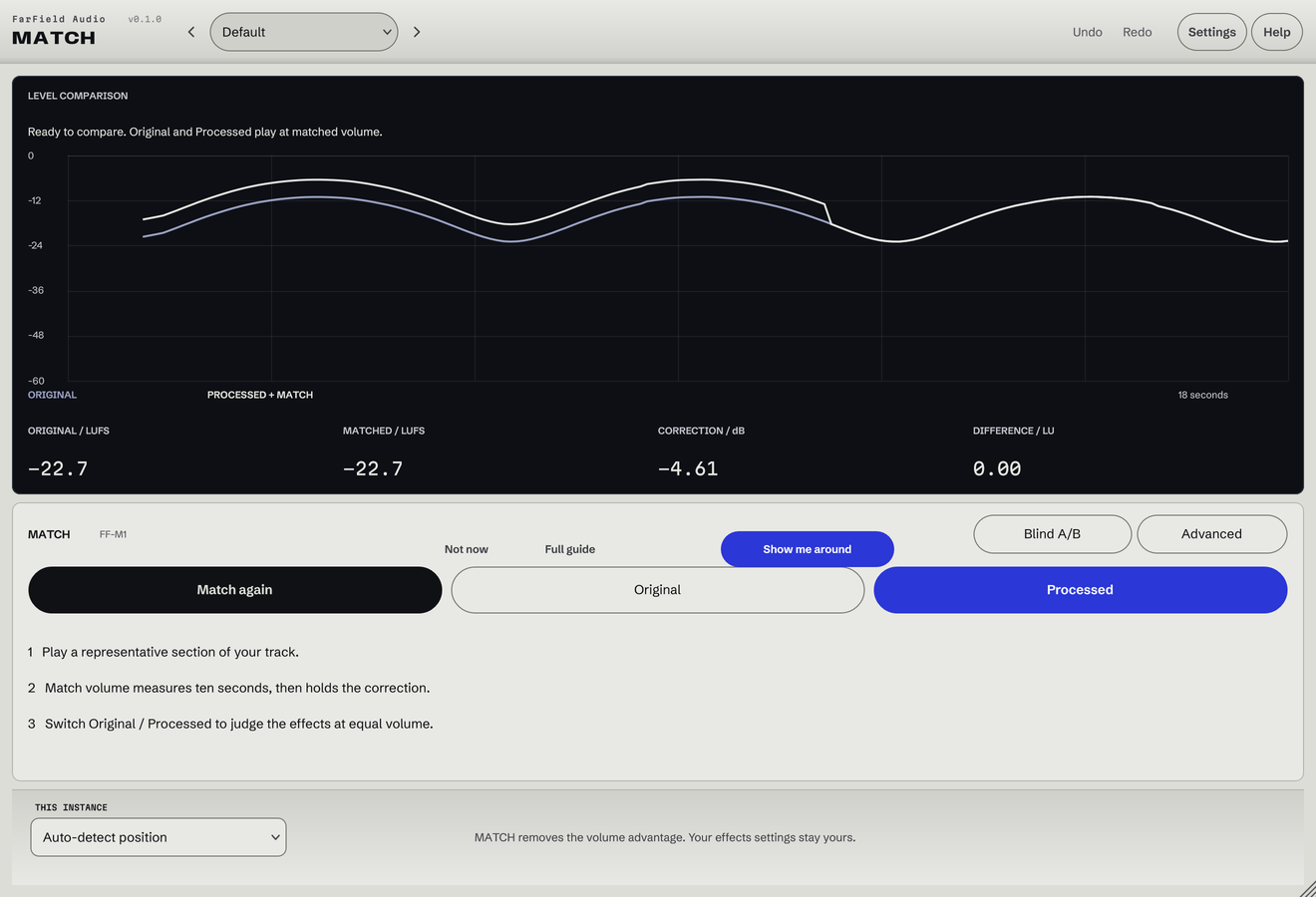
A clearer comparison
Learn ten seconds of active audio, then lock the volume correction; silence pauses learning.
Compare anonymously as X and Y, then reveal your preference.
Place MATCH before and after your effects; use pair selection or a reference sidechain when needed.
Detect the delay between versions, or set it manually when the result is ambiguous.
Hear the difference with matched delta or raw null; the residual reveals changes, not quality.
Explore continuous matching, Mid / Side auditioning, loudness history and detailed meters.
MATCH uses K-weighted loudness estimates; trust your ears when matched readings still sound different.
From setup to decision
Put MATCH before and after your effects, check the roles and pair, then play a passage.
Learn ten seconds of active audio and lock the correction; relearn after substantial changes.
Switch between Before and After, or compare blindly as X and Y.
No. MATCH is intended as a complete free utility. It does not require Master Rack, a paid module or a subscription.
That is the intended workflow. The Windows and Mac builds have passed paired-chain tests and automated plug-in validation. Production DAW qualification remains in progress; universal host compatibility is not yet claimed.
Choose the same explicit pair in both instances. If the host separates instances into different processes, route the original audio to the After instance’s Reference sidechain and select that input mode.
Neither. Null reveals the residual between aligned signals. Gain, phase, timing, distortion and other processing can all create a residual. Use it to understand the change, then evaluate the music normally.
Free at release
Windows VST3 and macOS VST3/AU builds have passed automated qualification. Public standalone downloads remain closed while production-DAW checks and release preparation are completed.
No release date announced. No payment or email address is collected here.