Tame and Recover
Reduce dominant regions or lift what is missing, with separate controls for each.
Adaptive tonal balance
Even out the tone as the song moves.
Tame regions that take over and lift those that fall away. Balance follows the music within limits you set.
Windows & Mac · VST3 / AU / standalone
Made forVeiled synthsUneven mix busesMatching a reference
What you can do
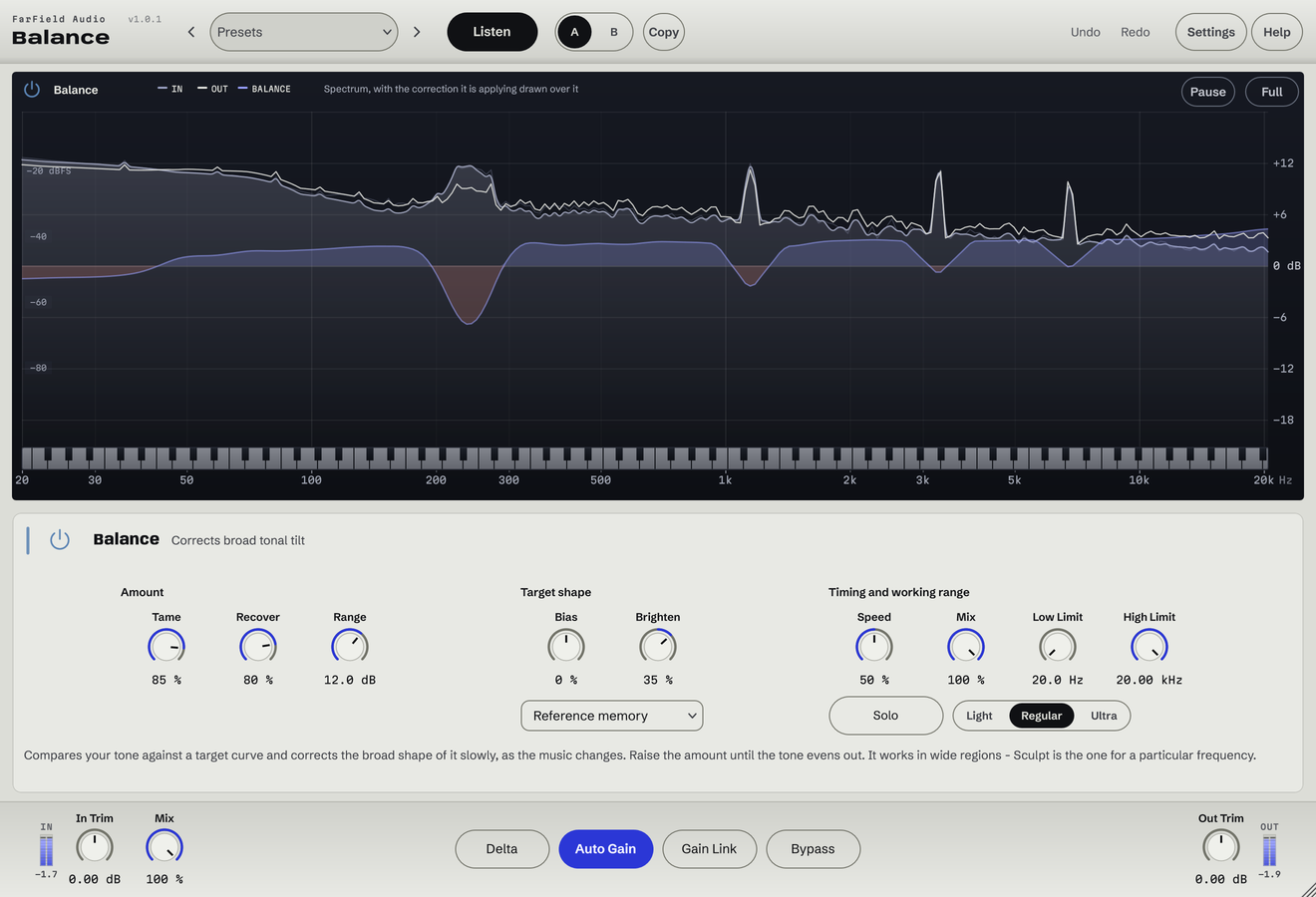
Reduce dominant regions or lift what is missing, with separate controls for each.
Match a reference track and save its tonal target for later sessions.
Tilt the correction warmer or brighter.
Range caps how far any region can move.
Set Low and High Limit to keep the correction where you need it.
Adjust Speed, then use Mix and Solo to hear the correction in context.
Before / after
Compare Balance with the original. Listening levels are matched.
The tone holds steadier as the arrangement thickens and thins.
Only Balance is processing: Balance, running as its own plug-in, with its factory preset "Dense Master", on a Splice sample. Both versions are loudness matched with a constant gain, so the change cannot win by being louder. No other processing is added.
A first pass
Too much, too little, or not like the reference? Decide which before you touch anything.
Set Low and High Limit around the problem and a modest Range, then raise Tame or Recover.
Adjust Speed until the correction follows the song without pumping, then compare with bypass.
Questions
No. Balance handles broad tone that changes over time. Sculpt is for the specific moves you already know you want: this frequency, this much, this wide.
No. A small range suits a mix that is already close. The wider settings are for sources that need an obvious change.
Windows 10 and 11 (64-bit), and macOS 10.15 or later on Apple silicon and Intel. Both have VST3 for your DAW and a standalone application, and the Mac installer adds Audio Units. One purchase covers both platforms: download whichever installer you need from your account.
Updates are free for as long as we make them. Sign in at your account with the email address you bought with and download the current version. Installing it replaces the plug-in in place, so your presets and existing projects are untouched.
Yes. Every module has a before-and-after example on its page. If you buy and it isn't for you, email us within thirty days for a full refund, no questions asked. See terms and refunds.
One tool, or all twelve
Regular US$20. Or get it with Master Rack and the other eleven modules for an introductory US$50 (regular US$79).