Duck by frequency
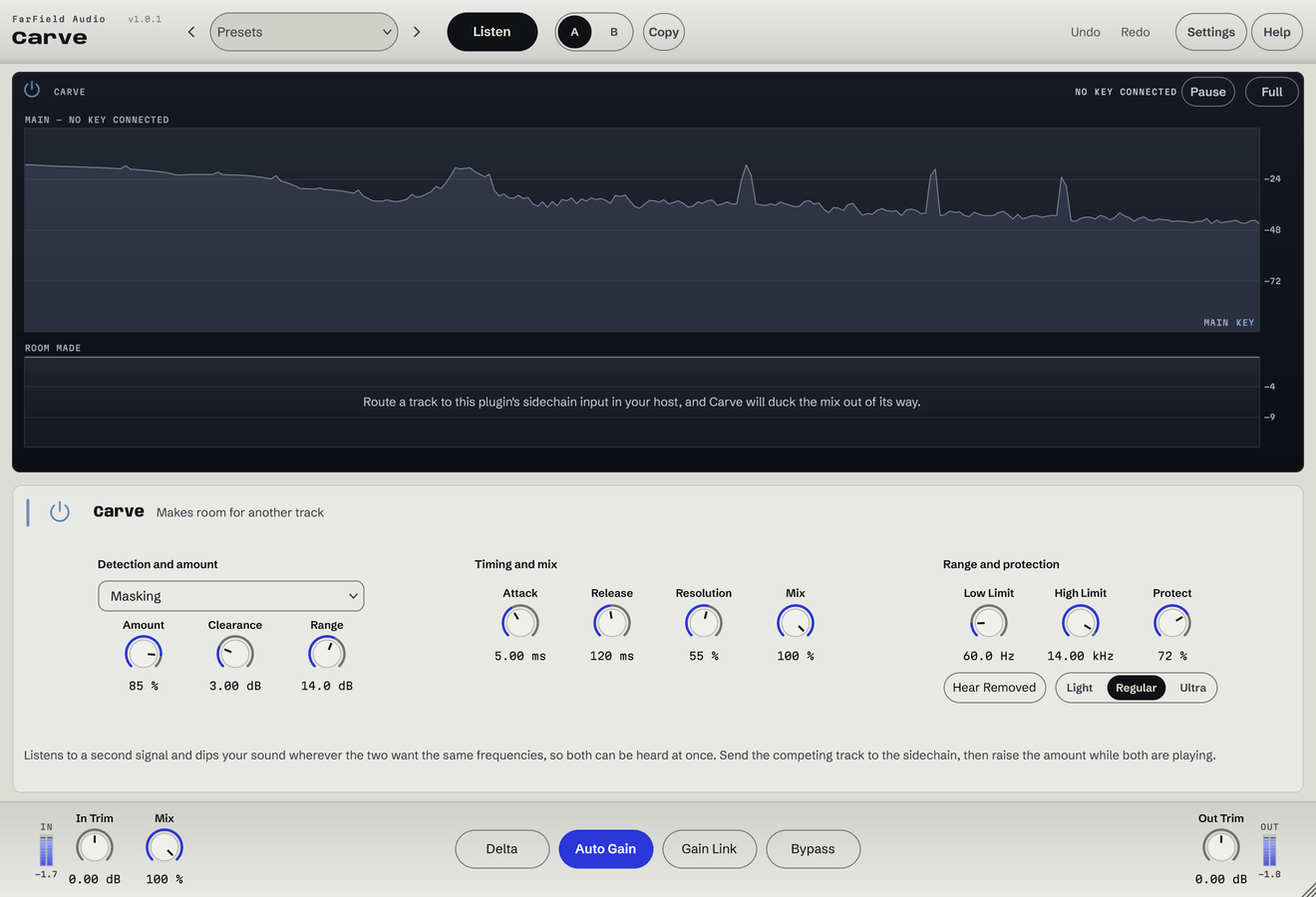
The sidechain reduces overlap on the processed track while leaving other regions alone.
Spectral sidechain carving
Clear a space only where the parts collide.
Make room where two tracks overlap. Feed Carve the priority track and set how far the other can yield.
Windows & Mac · VST3 / AU / standalone
Made forKick against bassBass under synthsCrowded arrangements
What you can do
The sidechain reduces overlap on the processed track while leaving other regions alone.
Set the strength of the interaction and cap the deepest cut.
Confine the carving with low and high frequency limits.
Tune Attack and Release to the rhythm.
Narrow the action with Focus and preserve transients with Protect.
View both spectra and the cuts, or audition them with Hear Removed.
Before / after
Compare Carve with the original. Listening levels are matched.
The keys make room around the vocal only while it sings.
Only Carve is processing: Carve, running as its own plug-in, with its factory preset "Lead Vocal Pocket", on a Splice sample. The vocal part plays unchanged in both versions; only the part it keys is processed. Both versions are loudness matched with a constant gain, so the change cannot win by being louder. No other processing is added.
A first pass
Put Carve on the track that should give way and feed its sidechain from the one that should come through.
Set the low and high limits around the clash, then raise Amount and choose a Range.
Tune Attack and Release to the rhythm with both tracks playing, and check the yielding part still belongs.
Questions
The one that should make room. For kick and bass that usually means Carve on the bass, with the kick feeding its sidechain.
The melodic chop. You hear the DX7 bass alone, dry and then with Carve enabled; the key signal itself is unchanged.
Windows 10 and 11 (64-bit), and macOS 10.15 or later on Apple silicon and Intel. Both have VST3 for your DAW and a standalone application, and the Mac installer adds Audio Units. One purchase covers both platforms: download whichever installer you need from your account.
Updates are free for as long as we make them. Sign in at your account with the email address you bought with and download the current version. Installing it replaces the plug-in in place, so your presets and existing projects are untouched.
Yes. Every module has a before-and-after example on its page. If you buy and it isn't for you, email us within thirty days for a full refund, no questions asked. See terms and refunds.
One tool, or all twelve
Regular US$20. Or get it with Master Rack and the other eleven modules for an introductory US$50 (regular US$79).