Seven circuit families
Choose Tape, Tube, Transformer, Console, Diode, Fuzz or Cassette.
Tape and circuit saturation
Add tape and circuit colour to the bands you choose.
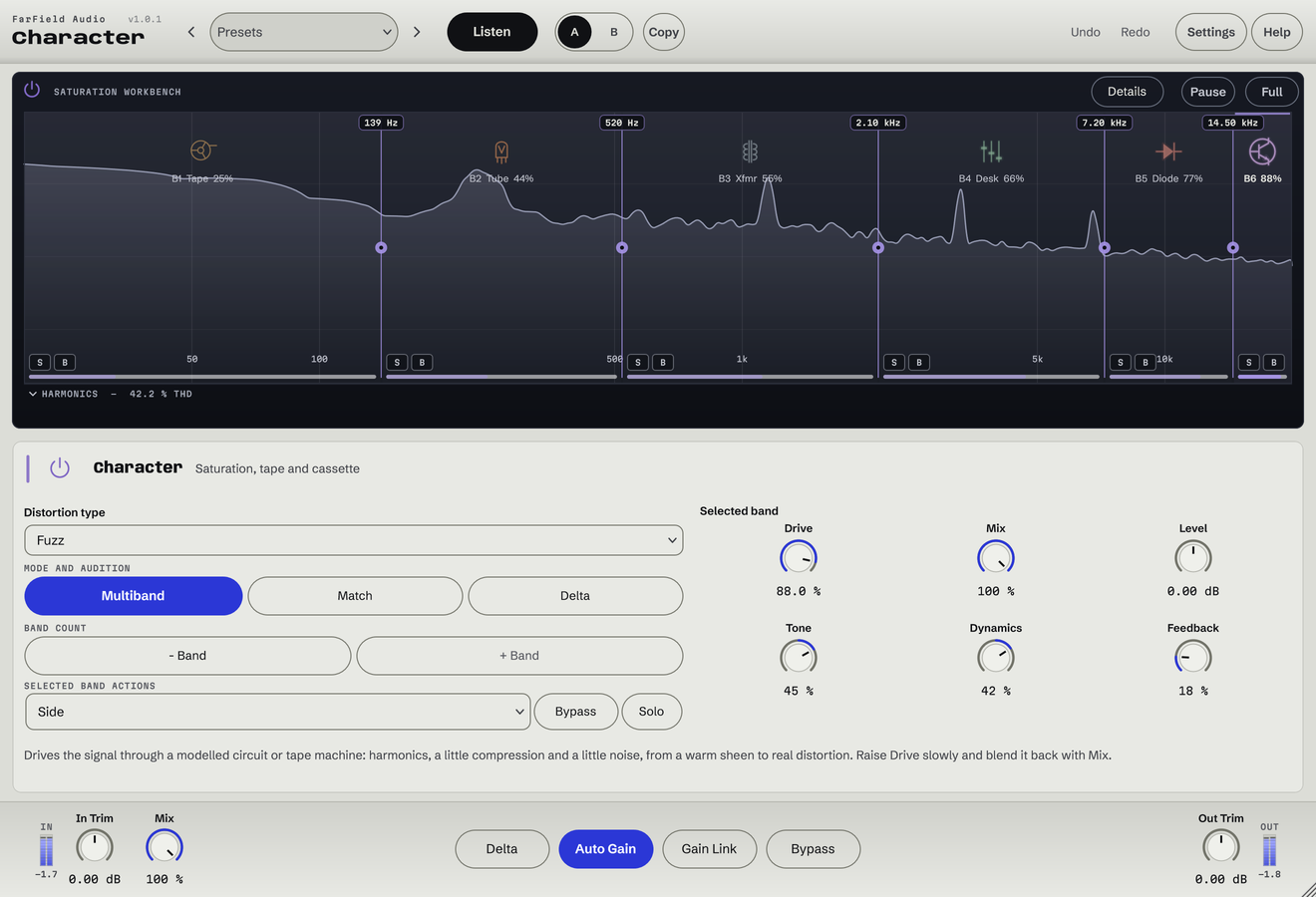
Seven circuit families, from tape to fuzz. Add colour across the whole sound or give up to six bands their own texture.
Windows & Mac · VST3 / AU / standalone
Made forBass harmonicsDrum textureSubtle bus colour
What you can do
Choose Tape, Tube, Transformer, Console, Diode, Fuzz or Cassette.
Give each region its own circuit, drive and blend.
Choose a machine, stock, speed, bias and calibration, then set Tone and Mix.
Add transport movement and noise.
Push the circuit, then compare with Loudness match.
Compare source and processed spectra as you listen.
Machine profiles are models built from published documentation, with estimated behaviour. They are not measured one-to-one replicas, and no manufacturer endorses them.
Character Tape and circuit saturation
Hear six factory presets on the same mix, with listening levels matched. No other processing.
Tape Ampex ATR-102 at 30 ips: rounded peaks, a softer top.
Level matched to the dry mix · loops seamlessly · switch as often as you like
Before / after
Compare Character with the original. Listening levels are matched.
Rounder transients and a warmer, thicker kit from the tape machine.
Only Character is processing: Character, running as its own plug-in, with its factory preset "Ampex ATR-102", on a Splice sample. Both versions are loudness matched with a constant gain, so the change cannot win by being louder. No other processing is added.
A first pass
Pick the circuit that fits: smooth weight, firm edges, or an obvious effect.
Add bands when only part of the sound needs colour, then raise Drive while listening to the new harmonics.
Set Tone and Mix and compare at matched level. Add transport movement only if it helps.
Questions
Character is analogue colour: tape, valves, transformers, consoles and fuzz. Emulate is digital colour: the sample rate, word length and filtering of vintage samplers.
Yes. Split into as many as six bands and give each its own circuit and amount, including none.
Windows 10 and 11 (64-bit), and macOS 10.15 or later on Apple silicon and Intel. Both have VST3 for your DAW and a standalone application, and the Mac installer adds Audio Units. One purchase covers both platforms: download whichever installer you need from your account.
Updates are free for as long as we make them. Sign in at your account with the email address you bought with and download the current version. Installing it replaces the plug-in in place, so your presets and existing projects are untouched.
Yes. Every module has a before-and-after example on its page. If you buy and it isn't for you, email us within thirty days for a full refund, no questions asked. See terms and refunds.
One tool, or all twelve
Regular US$20. Or get it with Master Rack and the other eleven modules for an introductory US$50 (regular US$79).