Expand or gate
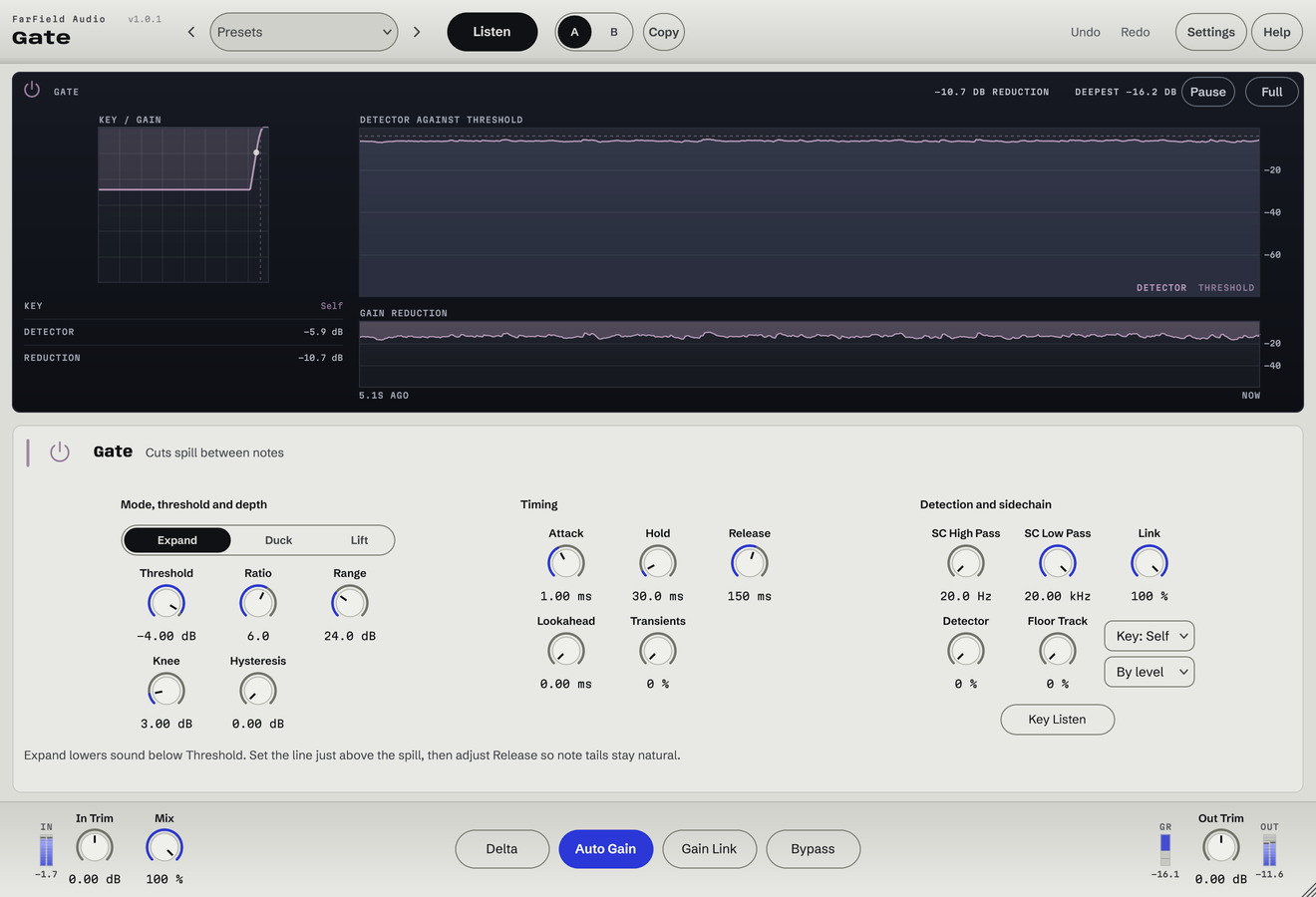
Set Ratio from gentle expansion to a firm gate, and Range for the depth of reduction.
Gate and expander
Reduce spill between notes without cutting off the attack.
Clean up bleed, hiss and unwanted tails. Filter what the gate hears and keep the attack intact.
Windows & Mac · VST3 / AU / standalone
Made forDrum spillNoisy pausesTighter percussion tails
What you can do
Set Ratio from gentle expansion to a firm gate, and Range for the depth of reduction.
Preserve note starts with Attack, Lookahead and Transients.
Use Hold and Release for a steady, natural close.
Focus with sidechain filters, then audition the result with Key Listen.
Hysteresis separates opening and closing thresholds; Knee, Floor Track and Detector refine the response.
Share levels or gate events between channels, with an adjustable Link amount.
Before / after
Compare Gate with the original. Listening levels are matched.
The room between the hits falls away; the hits themselves stay whole.
Only Gate is processing: Gate, running as its own plug-in, with its factory preset "Room Off" with its threshold set for this source, on an Ableton Live Core Library loop. Both versions are loudness matched with a constant gain, so the change cannot win by being louder. No other processing is added.
A first pass
Filter and solo the detector until the hits you want stand clear of the spill you don't.
Find the threshold that opens on the performance, then decide how much quieter the gaps should be.
Adjust Attack, Hold and Release while listening to the starts and ends of notes, then play the whole passage.
Questions
Not usefully. A gate works when the wanted sound pauses or drops away. Noise under a held note needs a different tool.
An expander turns quiet material down gradually. A gate, which is the same control at a high ratio, shuts.
Windows 10 and 11 (64-bit), and macOS 10.15 or later on Apple silicon and Intel. Both have VST3 for your DAW and a standalone application, and the Mac installer adds Audio Units. One purchase covers both platforms: download whichever installer you need from your account.
Updates are free for as long as we make them. Sign in at your account with the email address you bought with and download the current version. Installing it replaces the plug-in in place, so your presets and existing projects are untouched.
Yes. Every module has a before-and-after example on its page. If you buy and it isn't for you, email us within thirty days for a full refund, no questions asked. See terms and refunds.
One tool, or all twelve
Regular US$20. Or get it with Master Rack and the other eleven modules for an introductory US$50 (regular US$79).