Correct your headphones
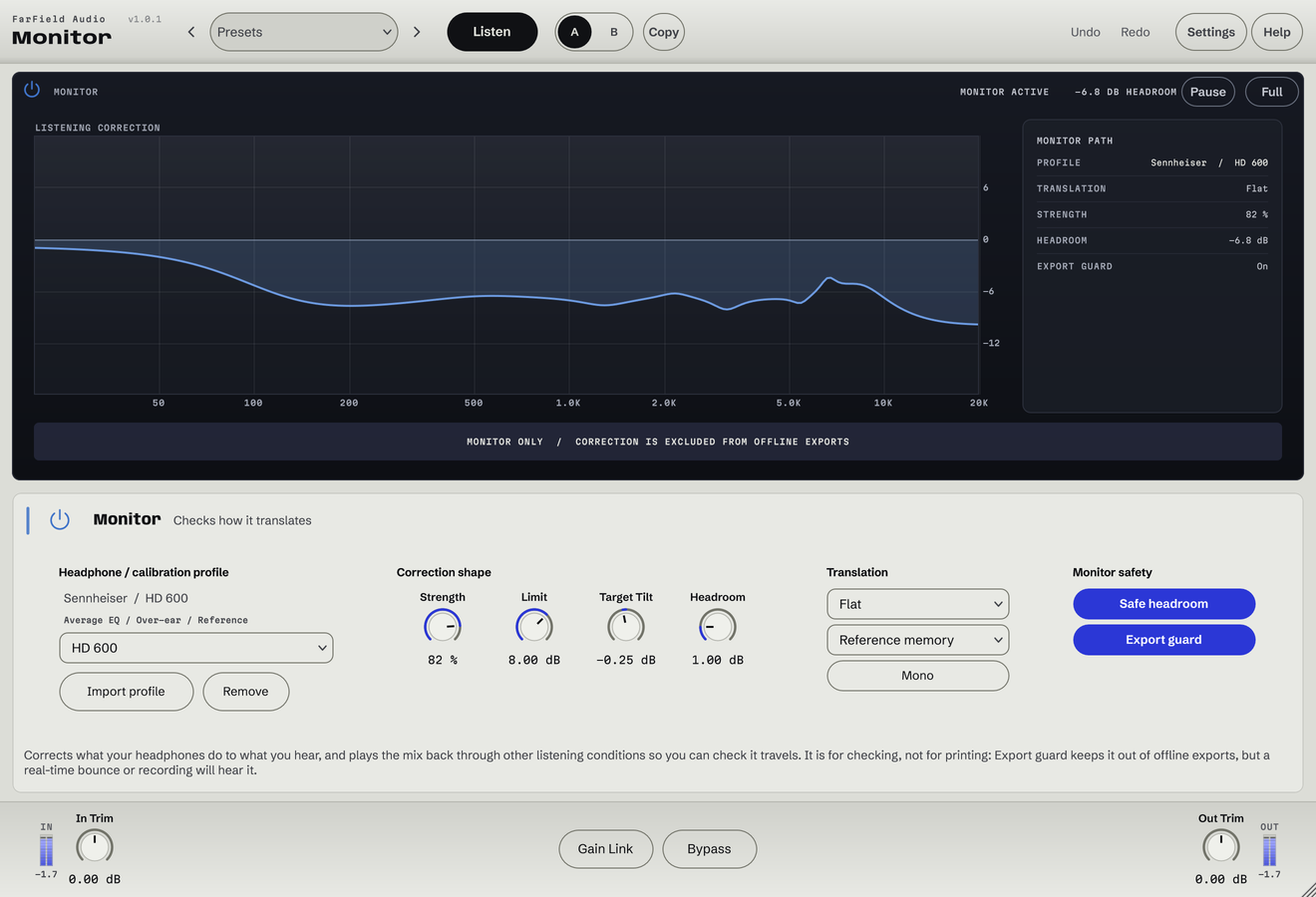
Choose a model or import a measurement, then set Strength and Limit.
Headphone correction and translation checks
Check your mix on other playback systems.
Correct your headphones and check your mix through phone, car and earbud balances. Use the export guard to bypass Monitor in offline renders.
Windows & Mac · VST3 / AU / standalone
Made forHeadphone correctionSmall-speaker checksReference listening
What you can do
Choose a model or import a measurement, then set Strength and Limit.
Check a warmer or brighter listening balance without changing your mix EQ.
Audition phone, laptop, car, earbud and small-speaker balances.
Check the centre and sounds that depend on width.
Reserve level before headphone correction can push the signal into clipping.
Bypass Monitor in offline renders with the export guard enabled.
The Monitor example deliberately renders the ATH-M50x headphone correction. It is heard in this demo only and excluded from every other comparison.
Before / after
Compare Monitor with the original. Listening levels are matched.
How the loop translates to a phone speaker.
Only Monitor is processing: Monitor, running as its own plug-in, with its factory preset "Phone Check", on a Splice sample. Both versions are loudness matched with a constant gain, so the change cannot win by being louder. No other processing is added.
A first pass
Choose a correction or translation that tells you something you need to know about this mix.
Does the lead still lead? Does the low end still hold? Check in mono too.
Return to your normal monitoring before deciding whether the mix itself needs to change.
Questions
Not necessarily. It demonstrates the ATH-M50x correction curve, and what you hear depends on what you're listening on. It is a monitoring tool, not a mastering setting.
It's built for listening. The export guard keeps its treatment out of offline renders when switched on; confirm the setting and your routing in your DAW.
Windows 10 and 11 (64-bit), and macOS 10.15 or later on Apple silicon and Intel. Both have VST3 for your DAW and a standalone application, and the Mac installer adds Audio Units. One purchase covers both platforms: download whichever installer you need from your account.
Updates are free for as long as we make them. Sign in at your account with the email address you bought with and download the current version. Installing it replaces the plug-in in place, so your presets and existing projects are untouched.
Yes. Every module has a before-and-after example on its page. If you buy and it isn't for you, email us within thirty days for a full refund, no questions asked. See terms and refunds.
One tool, or all twelve
Regular US$20. Or get it with Master Rack and the other eleven modules for an introductory US$50 (regular US$79).