Set the response
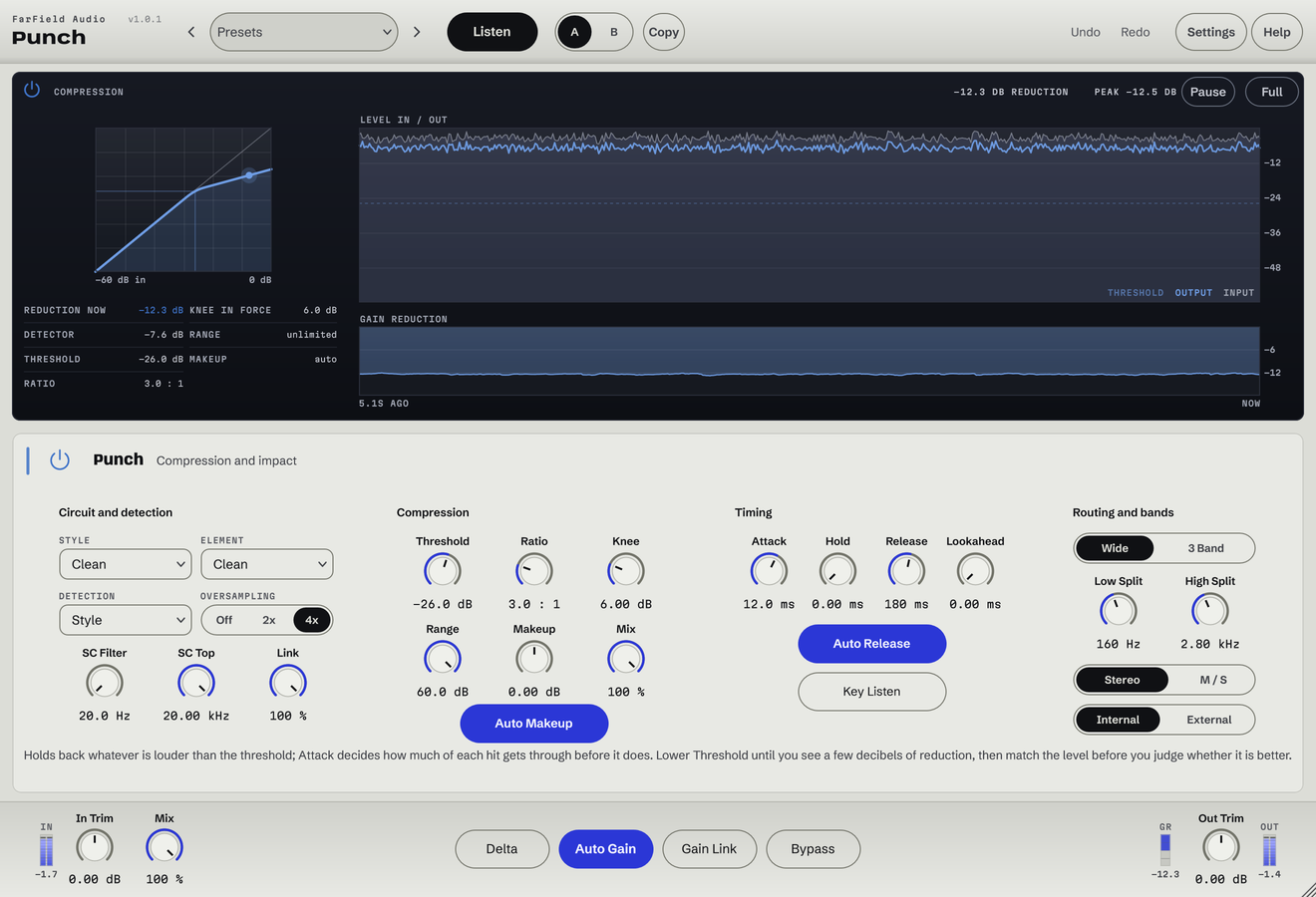
Threshold, Ratio, Attack and Release, plus Knee, Hold, Lookahead and Range.
Compression and multiband dynamics
Control peaks without flattening the groove.
Shape drums, bass and buses with clean or circuit-inspired compression. Work across the whole sound or in three bands.
Windows & Mac · VST3 / AU / standalone
Made forDrum busesBass envelopesMix-bus glue
What you can do
Threshold, Ratio, Attack and Release, plus Knee, Hold, Lookahead and Range.
Clean, diode-bridge, vari-mu, FET and opto-inspired compression.
Control lows, mids and highs separately, with adjustable crossovers.
Use sidechain filters or an external key, and audition what drives the compression.
Mix the compressed and original signals to keep the attack.
Use Makeup and Auto Gain to hear the compression at comparable volume.
Before / after
Compare Punch with the original. Listening levels are matched.
Denser, more forward drums that hit harder between the transients.
Only Punch is processing: Punch, running as its own plug-in, with its factory preset "FET: Drums", on a Splice sample. Both versions are loudness matched with a constant gain, so the change cannot win by being louder. No other processing is added.
A first pass
Lower Threshold and choose a Ratio while watching and hearing the gain reduction.
Set Attack around the transient and Release around the rhythm. Listen to the recovery between hits.
Use Mix and makeup to place it in context. Switch to three bands only when the low and high ends need different treatment.
Questions
1 ms attack and 40 ms release. They're a starting point; the right timing depends on the source and the movement you want.
No. The melodic-chop comparison uses the Punch settings saved in our lo-fi session. Only Punch changes between the two versions.
Windows 10 and 11 (64-bit), and macOS 10.15 or later on Apple silicon and Intel. Both have VST3 for your DAW and a standalone application, and the Mac installer adds Audio Units. One purchase covers both platforms: download whichever installer you need from your account.
Updates are free for as long as we make them. Sign in at your account with the email address you bought with and download the current version. Installing it replaces the plug-in in place, so your presets and existing projects are untouched.
Yes. Every module has a before-and-after example on its page. If you buy and it isn't for you, email us within thirty days for a full refund, no questions asked. See terms and refunds.
One tool, or all twelve
Regular US$20. Or get it with Master Rack and the other eleven modules for an introductory US$50 (regular US$79).