Control the cuts
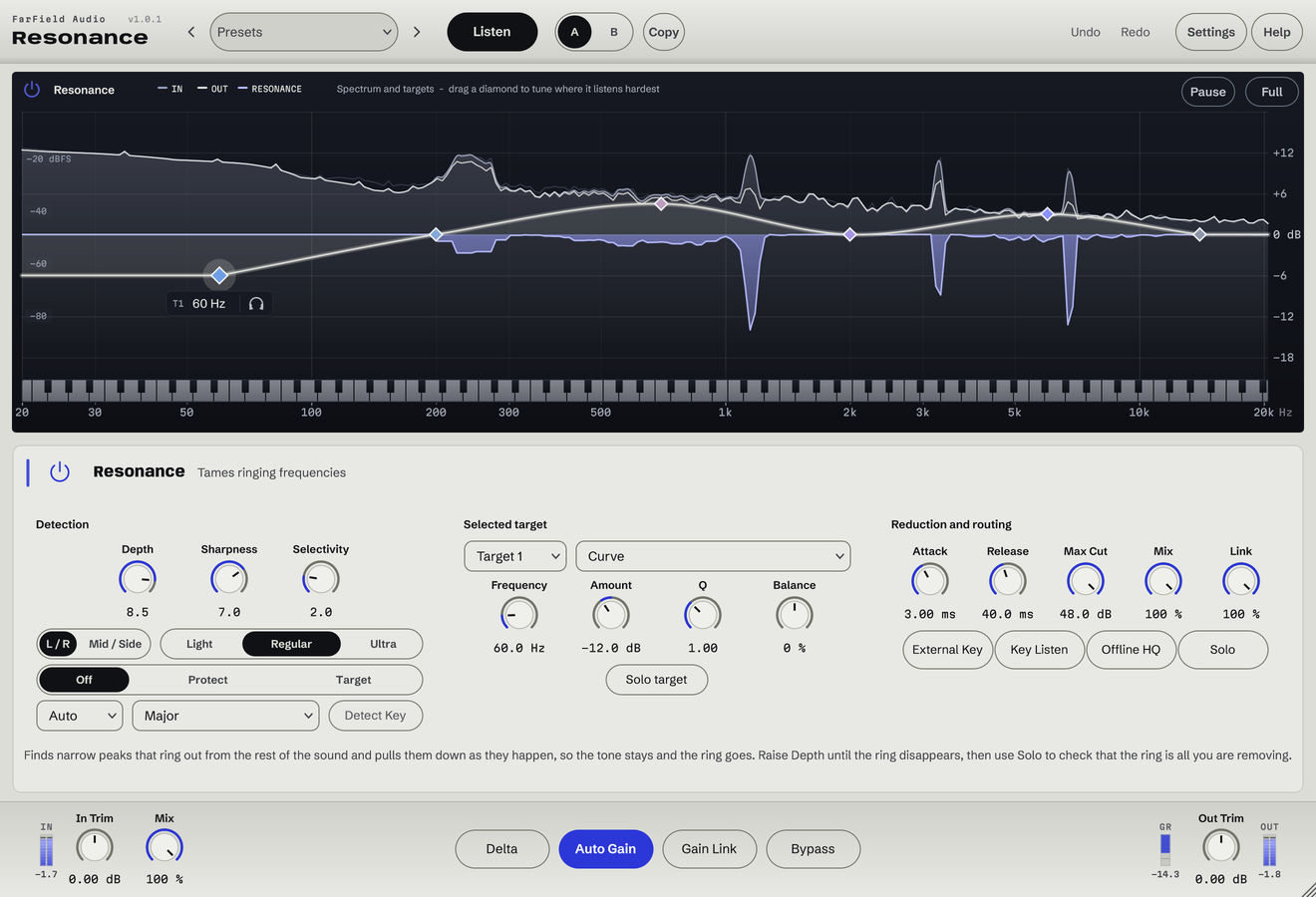
Set the amount with Depth, and target peaks with Sharpness and Selectivity.
Adaptive resonance suppression
Reduce ringing frequencies as they appear.
Tame harsh peaks as they appear. Focus on problem frequencies and protect the notes in your key.
Windows & Mac · VST3 / AU / standalone
Made forRinging synthsHarsh vocalsCymbals and drum buses
What you can do
Set the amount with Depth, and target peaks with Sharpness and Selectivity.
Place frequency targets and solo them to hear what the detector hears.
Choose a root and scale, or use Detect Key, then protect or target those notes.
Set Attack, Release and Max Cut, then blend with Mix.
Steer the detector from another track and audition its signal.
See the cuts as they happen, with stereo, left/right and mid/side processing.
Before / after
Compare Resonance with the original. Listening levels are matched.
The bite on the loud, bright syllables eases; the voice stays forward.
Only Resonance is processing: Resonance, running as its own plug-in, with its factory preset "Harsh Vocal", on a Splice sample. Both versions are loudness matched with a constant gain, so the change cannot win by being louder. No other processing is added.
A first pass
Place a target over the region and solo it until you hear the ring on its own.
Then back off the moment the performance loses its edge. Selectivity keeps the broad tone untouched.
Match Release to the length of the note and A/B against bypass at the same loudness.
Questions
A fixed cut is there all the time, including on the notes that were fine. Resonance only cuts while a peak is actually ringing, by as much as it rings.
The example compares the same melodic-chop performance with Resonance bypassed and enabled, using settings saved in our lo-fi session.
Windows 10 and 11 (64-bit), and macOS 10.15 or later on Apple silicon and Intel. Both have VST3 for your DAW and a standalone application, and the Mac installer adds Audio Units. One purchase covers both platforms: download whichever installer you need from your account.
Updates are free for as long as we make them. Sign in at your account with the email address you bought with and download the current version. Installing it replaces the plug-in in place, so your presets and existing projects are untouched.
Yes. Every module has a before-and-after example on its page. If you buy and it isn't for you, email us within thirty days for a full refund, no questions asked. See terms and refunds.
One tool, or all twelve
Regular US$20. Or get it with Master Rack and the other eleven modules for an introductory US$50 (regular US$79).