Set the distance
Move from 20 cm to 30 m as tone, reflections and reverb change together, with Level Match.
Rooms, reverb and distance
Place a sound in a room and set its distance.
Place your source in a modelled room. Move it closer or farther away as tone, reflections and reverb change together.
Windows & Mac · VST3 / AU / standalone
Made forVocals that sit behindDrum roomsAux reverb sends
What you can do
Move from 20 cm to 30 m as tone, reflections and reverb change together, with Level Match.
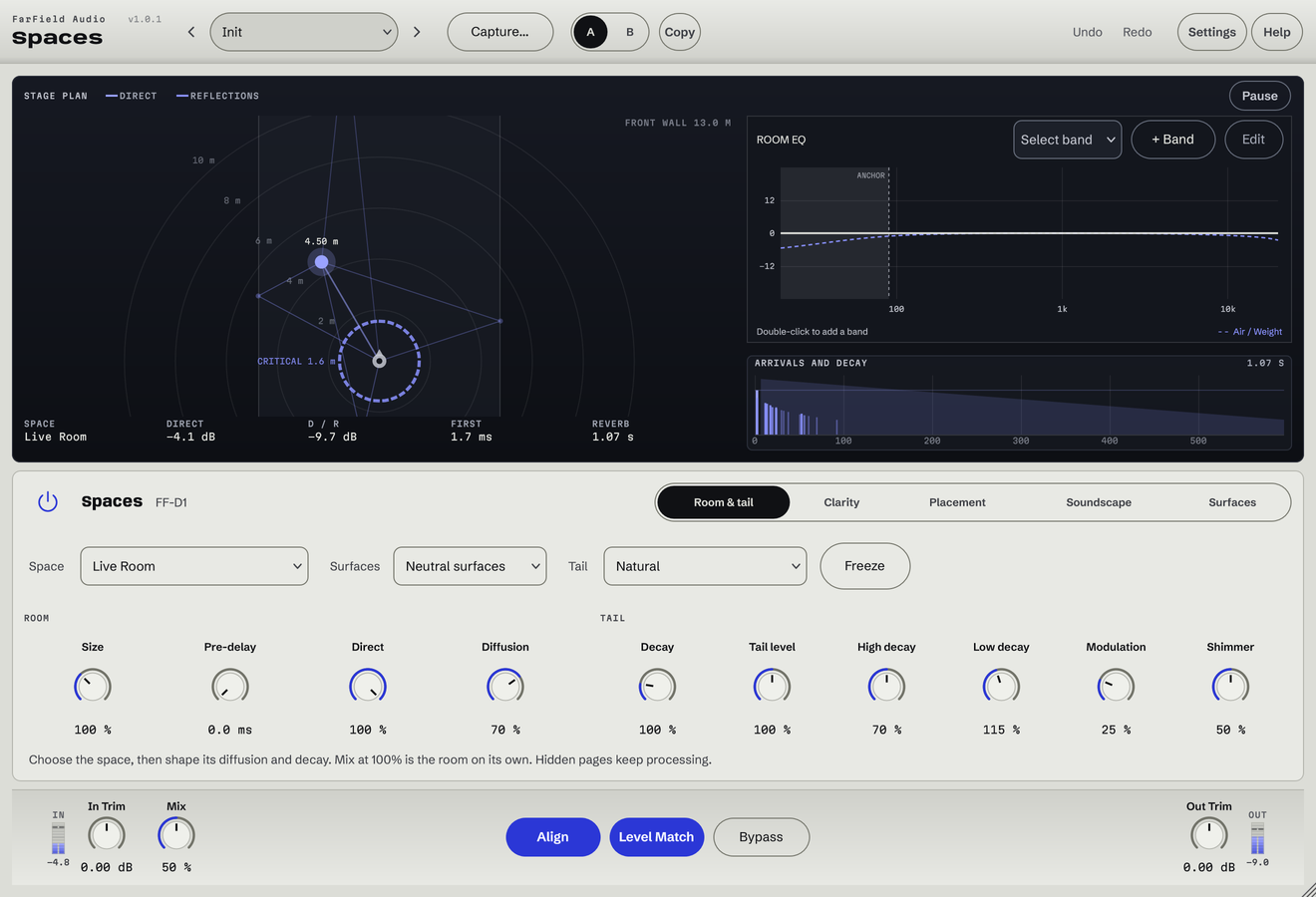
Booth, Studio, Live Room and Hall, with up to 24 early reflections and a 32-line late field.
Fit an editable model to an impulse response, or start from 66 captures and 72 reference IRs.
Clarity reduces overlapping frequencies in the room; Duck lowers the whole room while the source plays.
Choose wall, floor and ceiling materials, then shape the wet signal with up to eight EQ bands.
Use the same engine and factory presets in the Spaces stage.
Before / after
Compare Spaces with the original. Listening levels are matched.
The vocal moves a step back into a studio room.
Only Spaces is processing: the Spaces plug-in, with its factory preset "One Step Back", on a Splice sample. Both versions are loudness matched with a constant gain, so the change cannot win by being louder. No other processing is added.
A first pass
Start from a preset, or pick a room and its surfaces. Size and Decay scale what that room would really do.
Drag the source on the plan or turn Distance until it sits where it belongs. Offset moves it across the stage.
Raise Clarity or Duck until the words stay intelligible, then set Mix: lower on an insert, 100% on a send.
Questions
A normal reverb adds a wet signal at whatever level you pick. Spaces models where the source is in the room, so one move of Distance changes level, tone, reflections and the balance against the room together. At 1 m and centred, the source is untouched.
No. Spaces reports zero latency. Align keeps the direct sound in time as it moves back; switch Align off if you want the delay a real distance would add.
A dry female vocal hook run through the Spaces settings saved in our Depth Demo session, rendered offline with the current engine. Before is the untouched vocal.
Windows 10 and 11 (64-bit), and macOS 10.15 or later on Apple silicon and Intel. Both have VST3 for your DAW and a standalone application, and the Mac installer adds Audio Units. One purchase covers both platforms: download whichever installer you need from your account.
Updates are free for as long as we make them. Sign in at your account with the email address you bought with and download the current version. Installing it replaces the plug-in in place, so your presets and existing projects are untouched.
Yes. Every module has a before-and-after example on its page. If you buy and it isn't for you, email us within thirty days for a full refund, no questions asked. See terms and refunds.
One tool, or all twelve
Regular US$20. Or get it with Master Rack and the other eleven modules for an introductory US$50 (regular US$79).